Zoho Integrations That Connect Your Sales, Marketing & Operations
Struggling to manage teams across multiple tools?
We help you integrate Zoho so your workforce works faster, smarter, and without manual work.
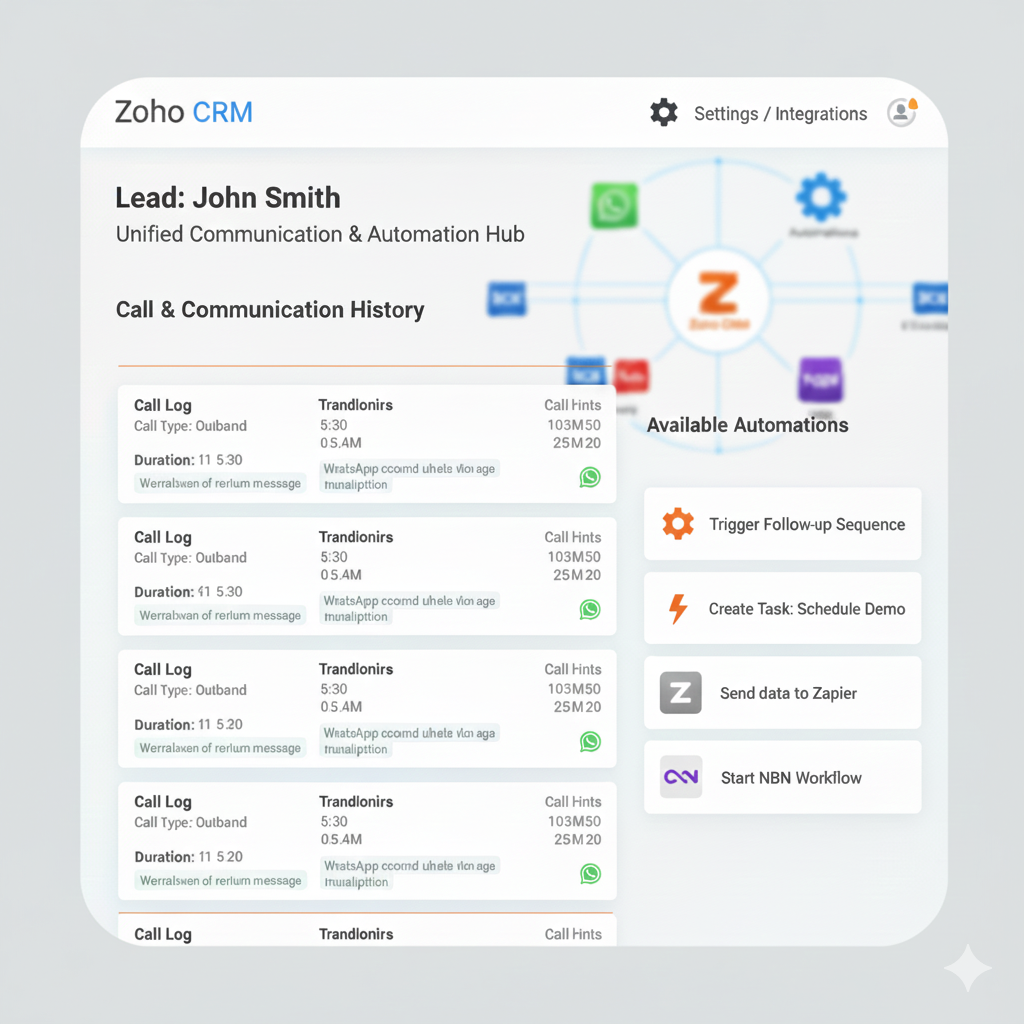
Integerate ZOHO with WhatsApp , Email, Telephony, Automation, Zoho Apps
Turn your existing Zoho system into one connected, automated growth engine.
We help teams integrate Zoho CRM with WhatsApp, telephony, email, and other Zoho apps—so every customer interaction is tracked, automated, and measurable.
- Zoho CRM Integration
- WhatsApp, Email & Third-Party Integrations
- Remote Team Workflow Automation
- Zoho Flow Automation
THIS Integration is For You If…
You already use Zoho (CRM or Zoho One) or looking to have e soon:
- Your sales team relies on calls, WhatsApp, and emails
- Conversations happen outside Zoho
- Follow-ups are missed or inconsistent
- Management lacks real-time visibility
- You want automation—not more manual work
THE REAL PROBLEM (WHY INTEGRATION FAILS)
Most teams already have Zoho—but it’s disconnected.
Calls are not logged in CRM
WhatsApp chats are personal, untracked, and unscalable
Emails are not linked to deals or contacts
Data sits in silos across Zoho apps
Reporting requires manual effort
Result:
Lost leads, poor accountability, and zero automation.


INTEGRATIONS WE DELIVER
Zoho WhatsApp Integration
- Official WhatsApp API setup
- Chats linked to leads & contacts
- Automated WhatsApp follow-ups
- Lead assignment & routing
- CRM-triggered WhatsApp notifications
Zoho Telephony Integration
- Cloud PBX integration
- Click-to-call from Zoho CRM
- Incoming call pop-ups
- Call recording & automatic logging
- Agent-level call analytics


Zoho Automation & Workflows
- Blueprint-driven sales processes
- Task & notification automation
- WhatsApp/email triggers from CRM events
- Approval workflows
- Lead & deal lifecycle automation
Popular Integration Use Cases
- New lead in Zoho CRM → Auto notify remote sales team
- WhatsApp message → Create CRM lead automatically
- New support ticket → Create task in Zoho Projects
- Deal closed → Invoice generated in Zoho Books
- Website form → CRM → Assigned to remote agent


Why Choose AGN IT Services?
- Certified Zoho Experts
- Fast Turnaround Time
- Remote-First Implementation
- Secure API & Automation Setup
- Ongoing Support & Optimization
Who Is This For?
- Remote & hybrid teams
- Sales & support teams
- SMEs & growing businesses
- Companies using multiple tools
- Businesses scaling with Zoho


Our Process
- Requirement Analysis
- Integration Design
- Zoho Setup & Automation
- Testing & Go-Live
- Training & Support
FAQ
A Zoho integration is a connection between Zoho applications (like CRM, Books, Analytics) or between Zoho and external tools so they can exchange data and automate workflows. Integrations can be done through native connectors, APIs, Zoho Flow (integration platform), or third-party tools like Zapier.
Many Zoho apps are interconnected. For example:
Zoho Analytics integrates with Zoho CRM, Projects, Desk, Campaigns, etc. Zoho
Zoho Books can integrate with Zoho CRM and other finance modules. Zoho
Typically, integration options depend on your plan and the products you’re using.
Yes. If the external app provides an API (Application Programming Interface) and Zoho supports API access or connectors, you can integrate them. You can use Zoho Flow to link Zoho apps with many external services with minimal coding.
It depends:
Simple integrations: Tools like Zoho Flow or pre-built connectors usually don’t need coding. Zoho
Custom or complex integrations: These may require API knowledge, authentication (OAuth), and occasional developer support, especially if mapping data fields or building real-time syncs.
Zoho API integration uses standard protocols (like HTTP/REST). Data is exchanged via API endpoints, and integrations can operate in different ways:
Pull model: Periodic requests from Zoho to get new data.
Push model (webhooks): An app sends data instantly to Zoho when an event occurs.
Behavior depends on the integration setup:
With native connectors (e.g., Zoho Books ↔ CRM), updates and deletions typically sync both ways as configured. Zoho
With custom API/webhook setups, you’ll need logic to handle updates/deletes properly. Some limitations may exist in third-party connectors or require extra configuration.
 English